Listen Online

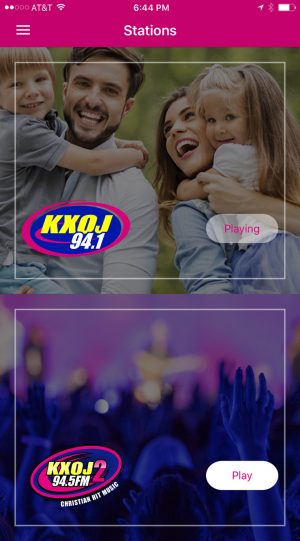
Listen Online wherever you are! You can also listen through your smart phone!

Listen on your computer:

The stream works with Windows Media Player, which is already installed on most PCs. You don’t have to download or install anything!

When you click on the link, your media player will open and the music will start streaming.


Reported Problems-

Sometimes a pop up blocker will stop you from listening to KXOJ online. If you use a pop-up blocker, such as the Google toolbar, you may need to disable it, or hold ‘ctrl’ while clicking on the link. That should let you open it.

If you continue to have trouble opening our player window, try this alternative link, which will launch the stream directly in Windows Media Player: mms://wms1.christiannetcast.com/kxoj-fm

Someone has reported to us that when you are listening to KXOJ online and surfing the internet at the same time, and you click on a link, it will open in the window that is streaming the music. And we have found a way to fix it; here it is. Open Internet Explorer. Go to Tools:Internet Options. After the window opens, click the Advanced tab. Scroll down until you are in the Browsing section. When you find the button that is named “Reuse windows for launching shortcuts” and UN-CLICK it. That should stop the problem.

If the problems above persist or you discover new ones, please visit www.christiannetcast.com for further assistance.

Listen on your iPhone:

The free iPhone app is available now in the iTunes store.  Get it here or search for KXOJ in the app store.


Listen on your Google Phone (Android):

Get it here, or search for KXOJ in the marketplace!


Blackberry 9000 Series (software version 4.5 and higher)
BlackBerry supports Windows Media streams over RTSP in version 4.3.0 for CDMA and WiFi transports; support for EDGE was added into version 4.5.0. Currently only the Blackberry Tour 9630, Storm2 9520 & 9550, Storm 9500 & 9530 support the streaming of Windows Media streams using the built in player.

Streaming URL: rtsp://wms1.christiannetcast.com/kxoj-fm


Blackberry 8000 Series (Curve & others), Android/G1 & other Mobile Phones
For the Blackberry model’s that do not directly support streaming, as well as other mobile devices, users may be able to listen by going using http://www.moodio.fm. With Moodio you can add streams to their directory and then play them on your mobile phone by going to htp://m.moodio.fm.

Moodio (blackberry OS 4.5 or higher required)

  1. Go to www.moodio.fm from your phone
  2. Click “create new account” and create an account (it’s free)
  3. click “stations” on the left
  4. type “KXOJ” in the box under “name”
  5. click “apply” to the right of the box
  6. scroll down and click “add” below “my stations” to the right of “KXOJ”
  7. open “m.moodio.fm” on your mobile phone
  8. Log in
  9. Listen!

Palm Devices
Must have pTunes (Pocket Tunes) installed. Most new Palm devices have this pre-installed. If not, you can buy it here

Streaming URL: mms://wms1.christiannetcast.com/kxoj-fm


Share this on Facebook

Comments

  1. Margie says:

    I haven’t been able to stream online with my Mac is the KXOJ stream available on iTunes?

Leave a Comment without using Facebook

*


eight + 3 =